
Tips for Creating Print-Ready Pdfs for Website Design
Why Print-Ready PDFs Matter in Website Design Incorporating print-ready PDFs into your custom website design enhances professionalism and user experience. Whether it’s a downloadable brochure, product catalog, portfolio, or pricing sheet, a well-formatted PDF provides users with clear, printable, and branded content. This feature is often part of best website design strategies, especially for businesses wanting to offer offline resources that match their digital presence.
Use High-Resolution Images and Vector Graphics
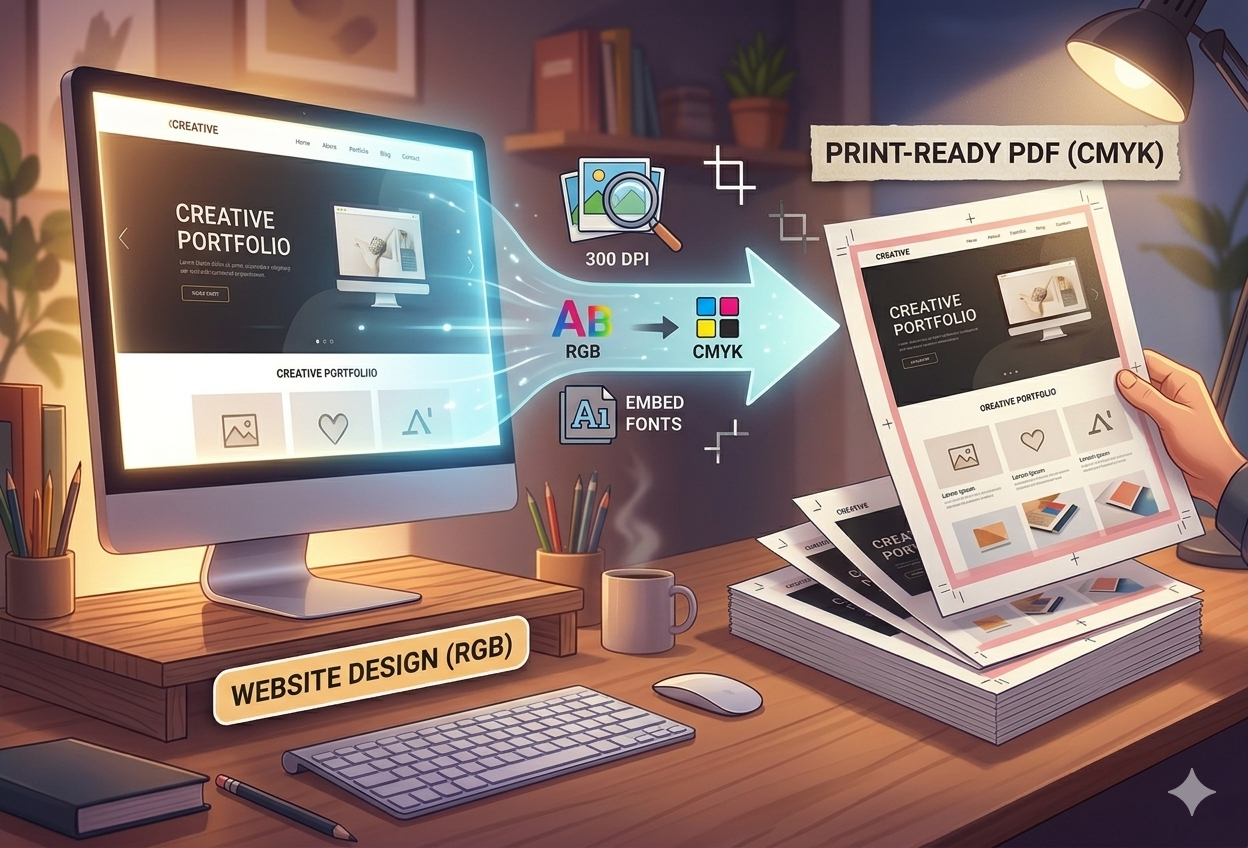
When designing PDFs for print, always use 300 DPI (dots per inch) images and vector-based logos or illustrations to ensure sharpness and clarity. Avoid low-resolution screenshots or web-optimized graphics that may appear blurry or pixelated when printed. This is crucial for maintaining the visual quality associated with a unique website design, especially if your document includes visual branding.
Set the Correct Page Size and Bleed
Before exporting your PDF, define the correct page dimensions (e.g., A4, Letter, or custom sizes) and add bleed settings if the design goes to the edge of the paper. Bleeds ensure that when the PDF is printed and trimmed, there are no white borders or unintended cutoffs. Proper sizing reflects the professionalism expected from a website design service online that caters to marketing, printing, and digital alignment.
Embed Fonts to Preserve Design Integrity
To avoid font substitution issues when someone opens your PDF on a different device, embed all fonts used in the design. This ensures that your chosen typography remains consistent—an essential detail for maintaining branding in custom website design. Most professional design tools like Adobe InDesign, Illustrator, or Canva Pro offer font embedding options when exporting.
Choose CMYK Color Mode for Accurate Printing
For documents meant to be printed physically, always convert colors from RGB (used for screens) to CMYK (used for printing). This ensures that colors appear more accurately on paper, reducing unexpected changes in tones. It’s a subtle yet critical step in offering affordable website design service help that prioritizes quality across both print and digital formats.
Compress Without Sacrificing Quality
PDFs should be optimized for quick downloading and printing. Compress large images and unnecessary elements while retaining enough quality for crisp printing. This is especially useful for brands offering downloadable content via cheap website design deals, where loading speed and file size can impact user experience.
Add Clickable Links and Metadata
Even though it’s print-ready, your PDF will often be viewed digitally first. Include clickable URLs, navigation bookmarks, and metadata (like author, title, and keywords) to improve accessibility. This hybrid usability reflects the seamless approach of buy website design service packages that bridge online interactivity with offline functionality.